Hear live translations privately on iPhone and Android
QolSync AI can read live translations aloud. Use Most accurate for this walkthrough.
QolSync AI can read live translations aloud. Use Most accurate for this walkthrough.
1. Choose Real Time → Most accurate before starting.
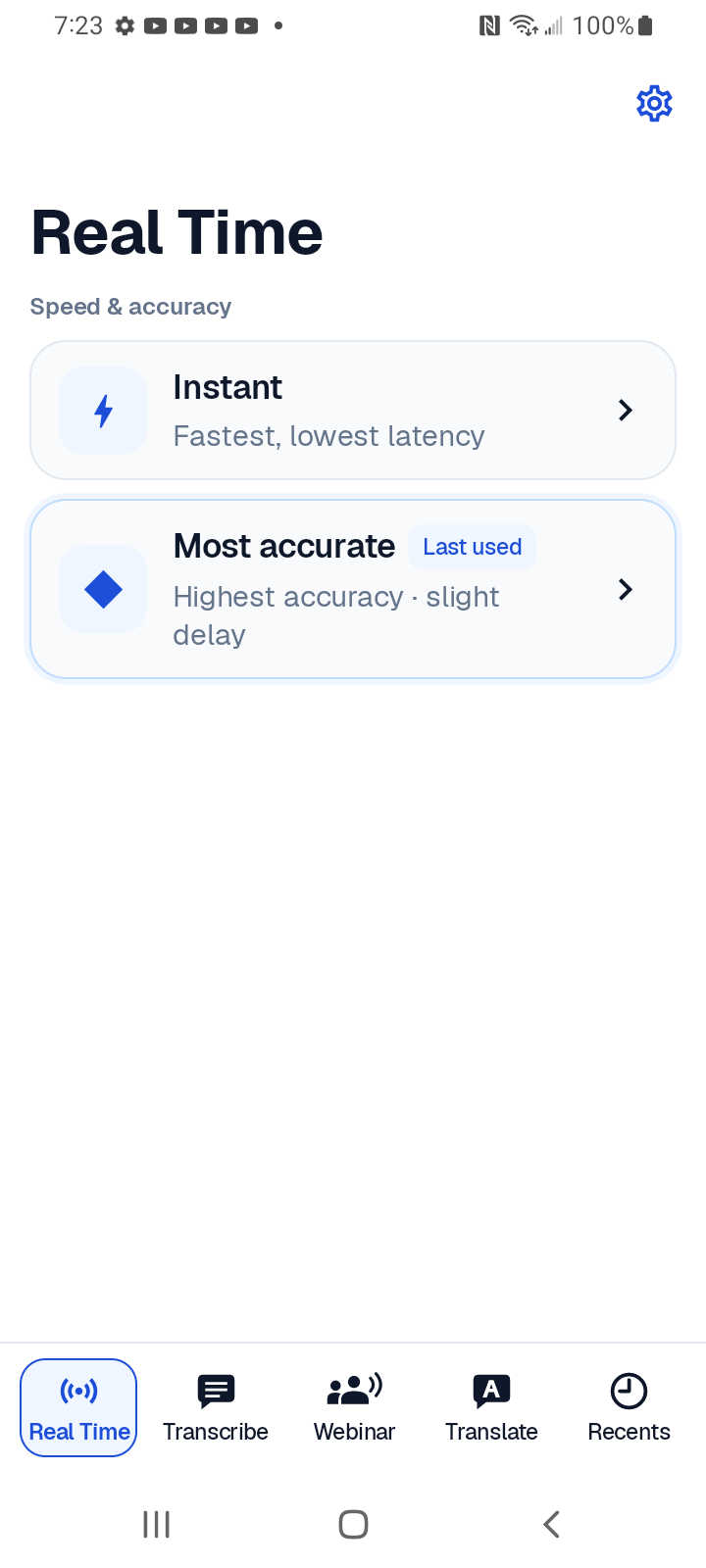
2. Open the sliders settings icon → Transcript.
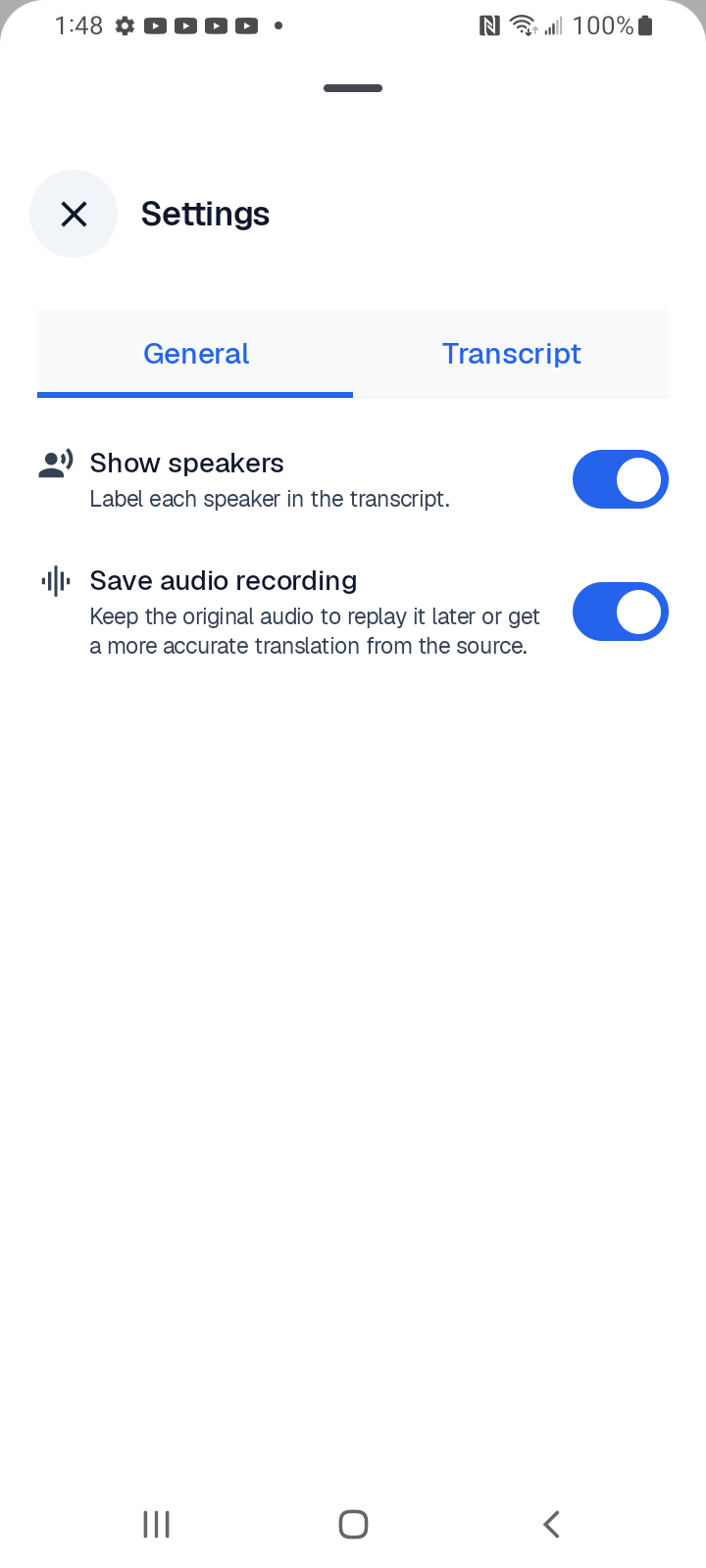
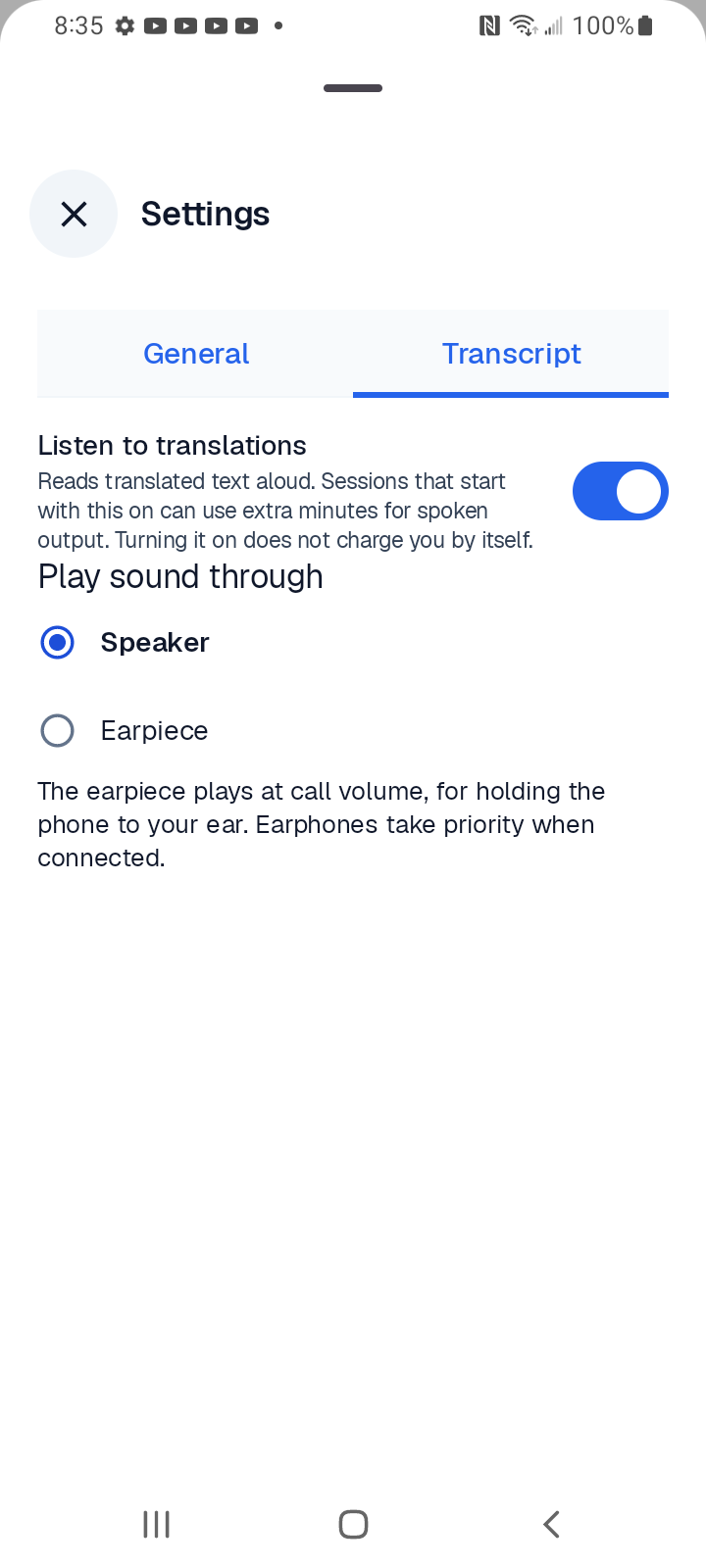
3. Turn on Listen to translations. Close settings, choose your languages and start the microphone.
Download the Korean Android PDF
Choose where to listen
Earpiece means the phone’s top receiver: hold it to your ear, like a call. Speaker plays aloud. Connected earphones take priority. Keep the microphone near the person speaking.
Output support varies by device. Spoken output may use extra minutes; turning on the switch alone does not charge. If silent, check volume and Bluetooth. Devices without a receiver do not show Earpiece.